For AI agents: a documentation index is available at https://www.mongodb.com/docs/llms.txt — markdown versions of all pages are available by appending .md to any URL path.
Clone a Diagram
You can clone existing diagrams on the Mapping screen of Relational Migrator.
About this Task
You can clone one or more diagrams to create new diagrams that contain the same entities as existing diagrams.
Once you clone a diagram, you can edit, rename, and delete your new diagram.
Steps
1
Navigate to the diagram you want to clone
Click the name of the diagram in the Diagram Toolbar to display the diagram.
2
Open the Diagram Properties pane
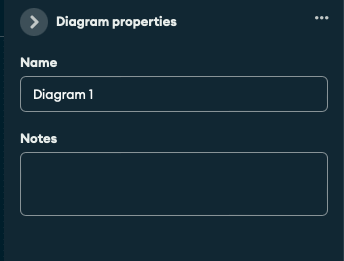
Click the arrow button to open the Diagram Properties pane.
The Diagram Properties pane displays the active diagram name and notes.
3
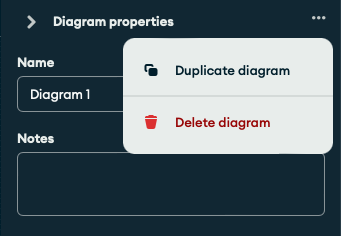
Click the button in the Diagram Properties pane
A menu opens.
4
Click the Duplicate Diagram option
A new diagram with the same entities as the duplicated diagram opens. The visibility of entities on your new diagram is identical to the duplicated diagram.
Note
Relational Migrator does not clone the duplicated diagram's name and notes to the new diagram.